 dsync
dsyncVersion 1.0.10 · Windows · macOS · Linux · Android · iPhone
All your devices,
one conversation.
Send text, files and whole folders of any size between your computers and your phone, share the clipboard, and take control of another screen. Straight across your own network, encrypted end to end.
Also for other systems.
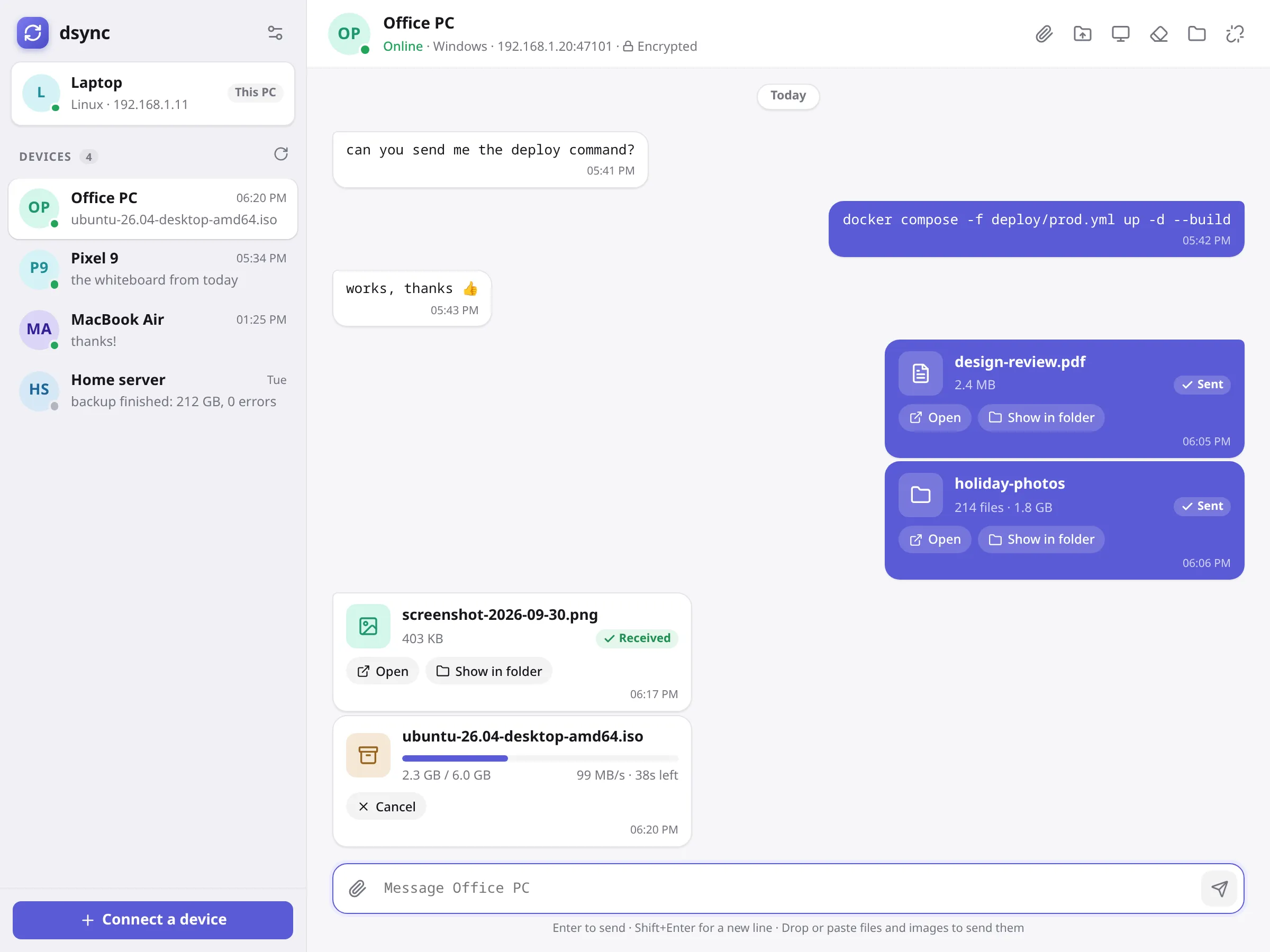
Send anything
Text, files and folders. Any size.
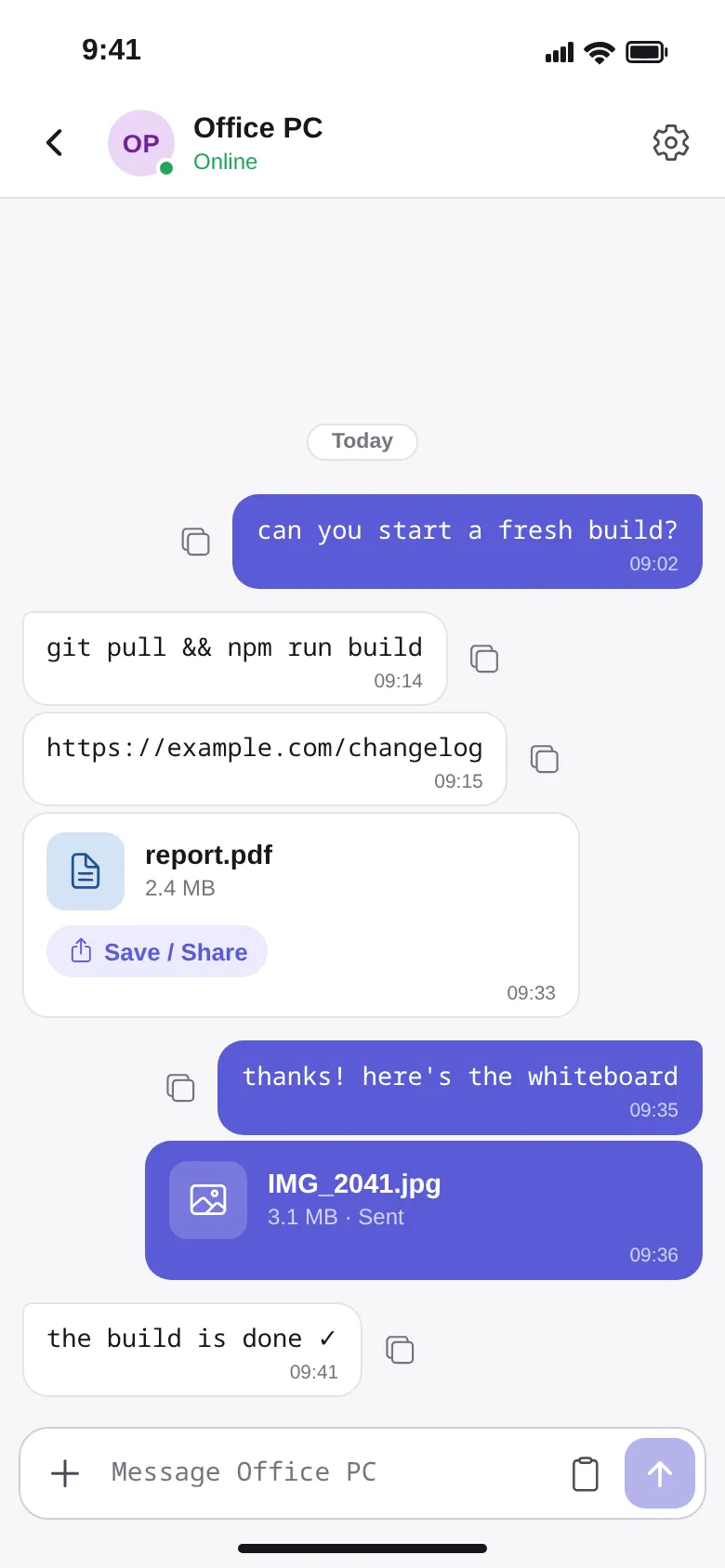
Every device is a conversation. Type a command, paste a screenshot, or drop a folder of 200 photos; it arrives in your Downloads folder on the other side.
- No size limit. A 6 GB ISO moves at full network speed.
- Transfers pick up where they stopped if Wi-Fi drops.
- Every file is checked with SHA-256 when it lands.
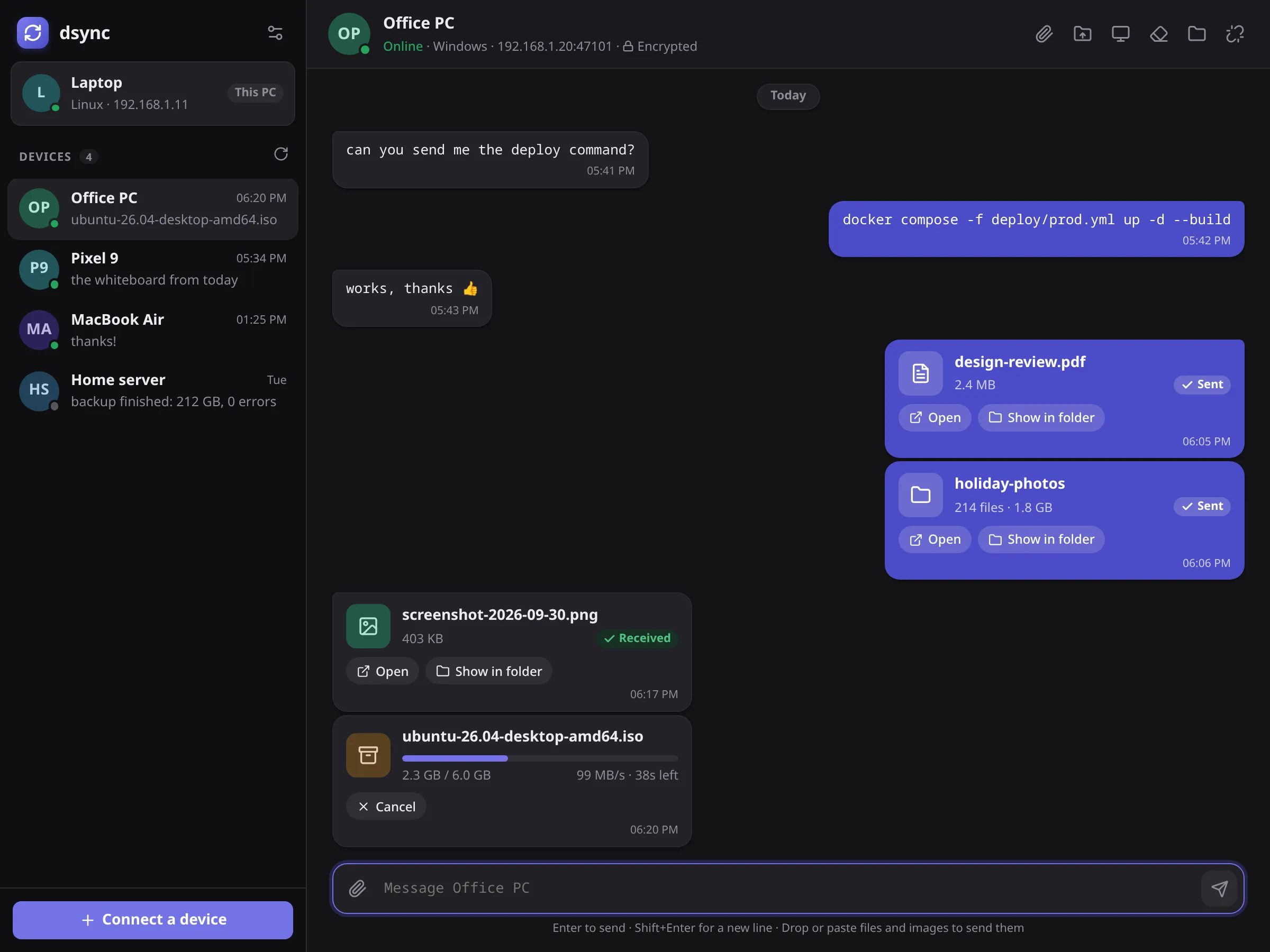
Remote control
Use another computer from this one.
Open the other screen in a window or full screen, with your own mouse and keyboard. dsync sets up Sunshine and Moonlight for you, so it's sharp and fast enough for real work.
- Choose which screen, how big, and how sharp.
- Desktop or game mouse, with its own pointer speed.
- Pairs itself the first time; no PINs to type across the room.
Phone app
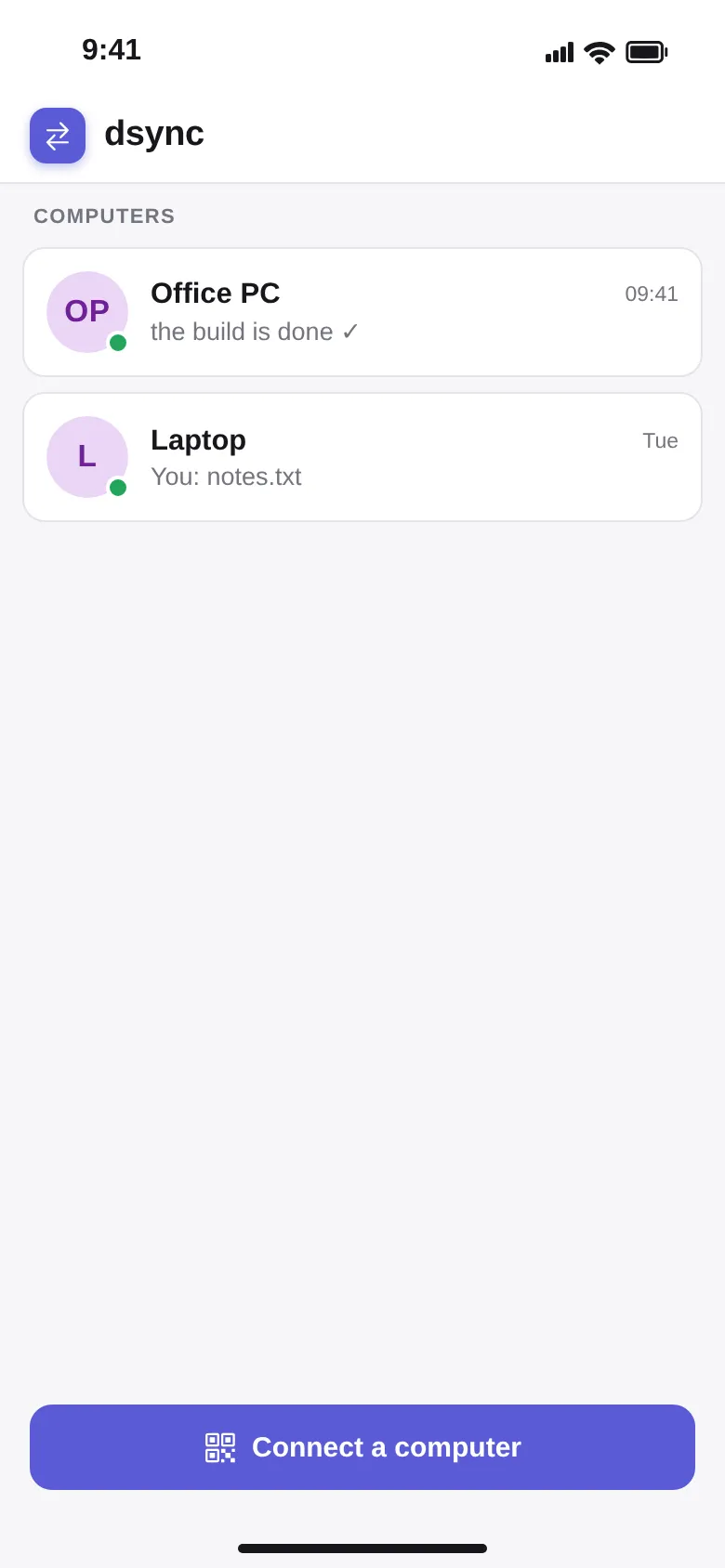
Your phone joins in.
Send photos and files from your phone to a computer, or pick up what a computer sent you. Paste your phone's clipboard, copy a link back, save or share any file.
On iPhone, install the file with AltStore or Sideloadly using your Apple ID (iOS 16.4 or later).
Private by design
Pair once. Encrypted always.
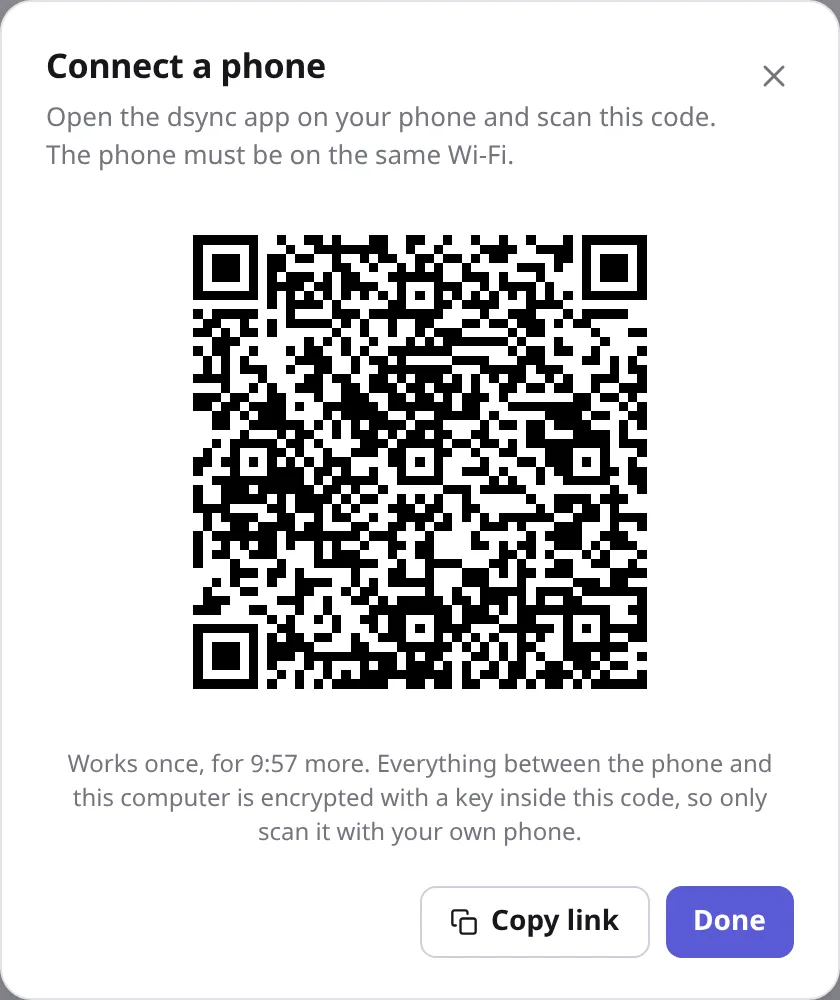
Devices find each other on your network. Pair them by checking that both screens show the same code, or scan a QR code with your phone. After that, everything between them is encrypted, and nothing goes through a server.
- TLS 1.3 with pinned keys between computers.
- XSalsa20-Poly1305 between phone and computer.
- Works over Tailscale when you're away from home.
Stays out of the way
Clipboard, tray and updates.
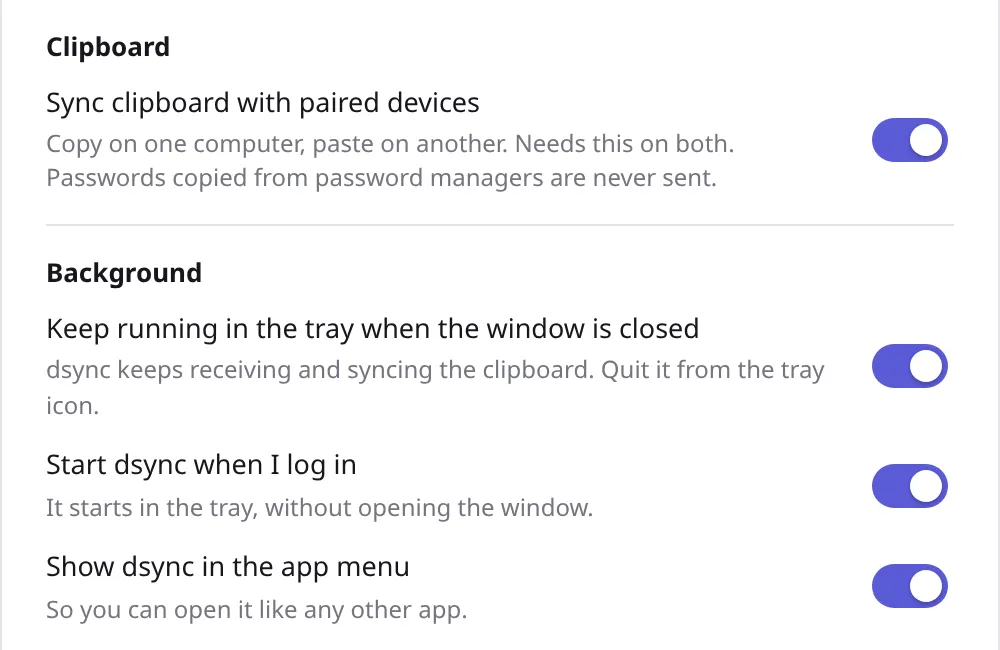
Copy on one computer and paste on the other, including images. dsync lives in the tray, starts with your computer, and updates itself from GitHub with one click.
- Shared clipboard you can turn off at any time.
- Clear a conversation or all history when you like.
- Updates are checked against the release's checksums.
Download
Version 1.0.10. Free, and it only talks to your own devices.